Passport Photo Size Guide
This passport photo size guide explains the main details people usually need before using an online passport photo maker: image dimensions, head size, eye level, and white background expectations.
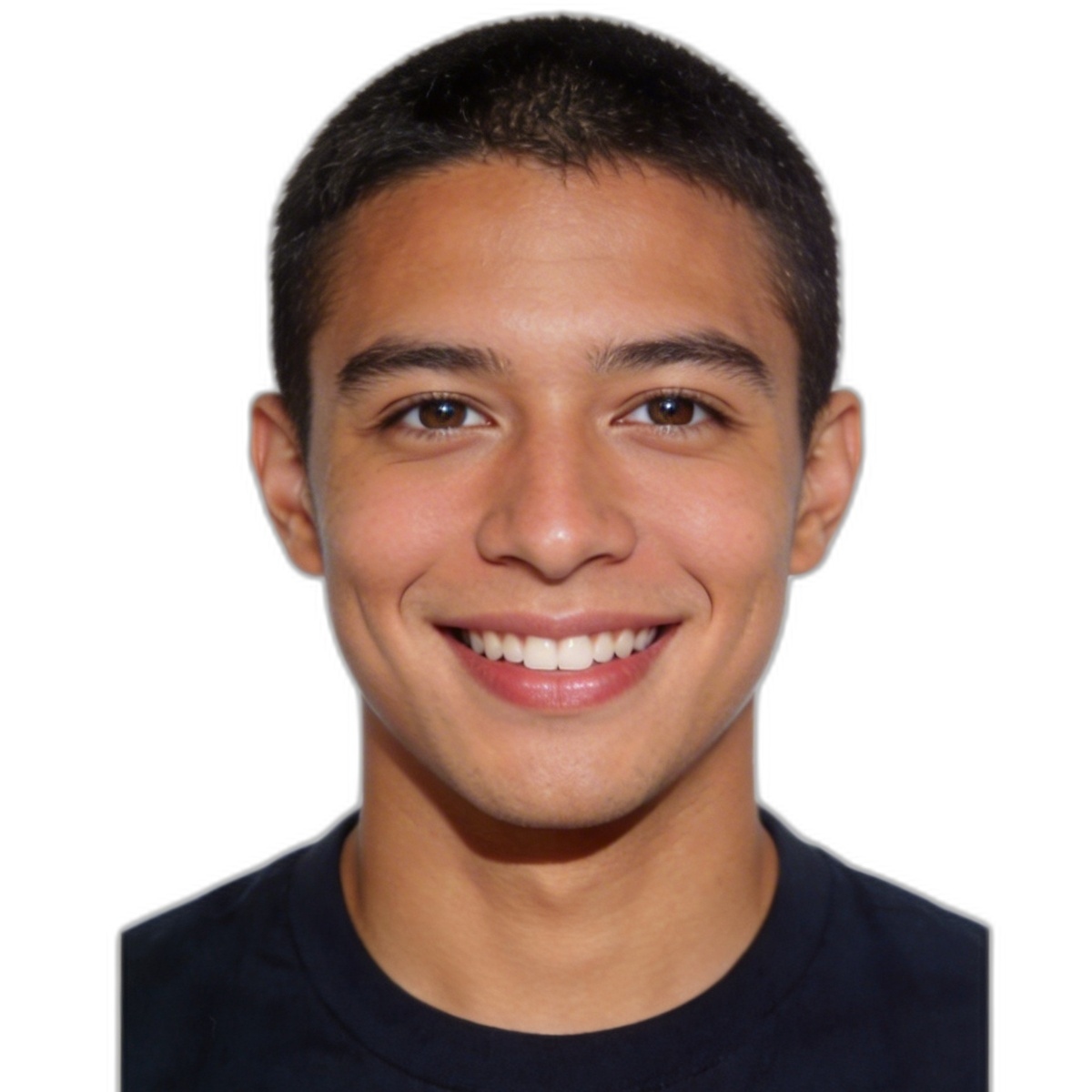
Main dimensions
Most passport-style workflows focus on a square export for online use, while printed formats may map to country-specific dimensions such as 2x2 inches for US passport photos.
Head size and framing
The face should be centered and large enough to be clearly visible, but not so close that the head touches the edge of the crop. Good passport tools keep enough space above the head and around the shoulders.
Background
A bright white or near-white background is one of the most common passport photo requirements. That is why background cleanup and edge correction matter.
Common size mistakes
- The head is cropped too tightly at the top.
- The face looks too small because the source image was taken too far away.
- The shoulders are cut unevenly, making the composition look off-center.
- The background is gray or shadowed instead of clean white.
Before you upload
- Use even lighting and avoid deep shadows.
- Face the camera directly.
- Keep the background simple if possible.
- Use a clear portrait with enough space around the head.
Quick checklist
Before generating a passport photo, check the source image for headroom, straight posture, visible shoulders, and a background that can be cleaned without heavy artifacts. These small details improve both output quality and acceptance chance.
Passport photo size FAQ
What size is a US passport photo?
US passport workflows are commonly associated with 2x2 inch print output. Online tools often start from a square digital crop and then map the framing to that target.
Why does head size matter?
Head size affects whether the face looks balanced inside the frame. If the head is too small or too large, the photo can look non-compliant even when the background is correct.
Can I fix size problems after upload?
Yes. A passport photo maker can usually recrop and reframe the image, but starting from a clear portrait with enough space around the head still produces better results.